


 Jan 21,2026
 By docstrail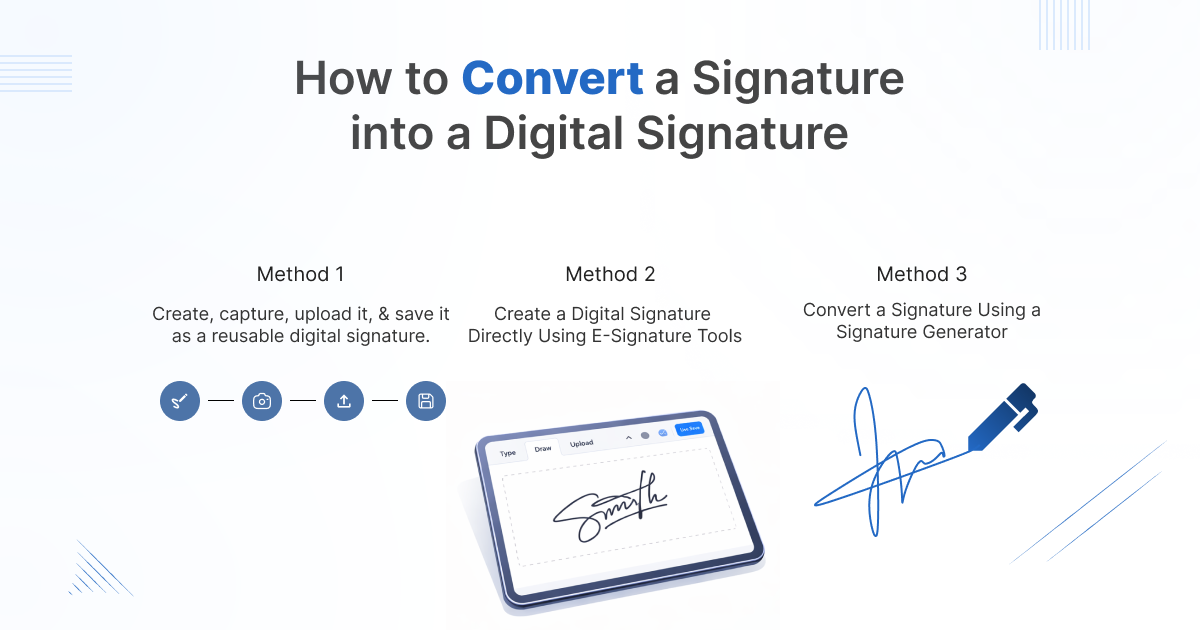
In a world where paperwork is rapidly moving online, the way we sign documents has completely changed. Printing, signing with a pen, scanning, and emailing feels outdated—and inefficient. Today, businesses and individuals prefer digital signatures and electronic signatures to sign documents online securely and legally within minutes.
But one question still confuses many people:
How do you convert a handwritten signature into a digital signature that can be used online?
This guide breaks it down in a simple, practical way—whether you’re a freelancer, business owner, HR professional, or student. By the end, you’ll know exactly how digital signatures work, how to create one, and how to start document signing online using modern tools.
Understanding the Difference: Digital Signature vs Electronic Signature
Before converting your signature, it’s important to understand these two commonly confused terms.
What Is an Electronic Signature?
An electronic signature is any electronic symbol or process that shows you agree to a document. Examples include:
- Typing your name at the end of an email
- Uploading an image of your handwritten signature
- Drawing your signature using a mouse or touchscreen
Electronic signatures are widely used for everyday agreements and are legally valid in many countries.
What Is a Digital Signature?
A digital signature is a more advanced and secure form of electronic signature. It uses:
- Encryption
- Identity verification
- Audit trails
- Tamper-proof technology
Digital signatures are commonly used in contracts, legal documents, financial agreements, and enterprise-level document signing software.
In simple terms:
All digital signatures are electronic signatures, but not all electronic signatures are digital signatures.
Why Convert Your Signature to a Digital Signature?
Converting your signature to a digital format isn’t just about convenience—it’s about speed, security, and professionalism.
Key Benefits of Digital Signatures
- Sign documents online from anywhere
- No printing, scanning, or courier costs
- Higher security with encryption
- Legally valid and compliant
- Faster approvals and workflows
- Better customer and employee experience
Whether you’re signing one document or managing hundreds every month, digital signatures save time and reduce friction.
What You Need Before Creating a Digital Signature
You don’t need technical skills or expensive equipment. Here’s all you need:
- A handwritten signature (on paper or already digital)
- A computer or smartphone
- Internet access
- An online signature tool or e-sign software
That’s it.
Method 1: Convert a Handwritten Signature Using Online Signature Tools
This is the easiest and most popular method.
Step 1: Create or Capture Your Handwritten Signature
You can do this in three ways:
- Sign on white paper and scan it
- Take a clear photo of your signature using your phone
- Draw your signature on a touchscreen or trackpad
Save it as a JPG or PNG file.
Step 2: Upload It to an Online Signature Tool
Use a trusted online signature tool or signature generator. These platforms allow you to:
- Upload your signature image
- Remove background automatically
- Resize and adjust alignment
Step 3: Save It as a Reusable Digital Signature
Once processed, your signature becomes a reusable digital asset that you can insert into any document while signing online.
Method 2: Create a Digital Signature Directly Using E-Signature Tools
Most modern e-signature tools allow you to create a signature without uploading anything.
How It Works
- Open your preferred e-sign software
- Choose “Create Signature”
- Select one of the options:
- Draw using mouse or touchscreen
- Type your name (auto-styled)
- Upload an image
- Save the signature securely
This method is ideal if you want speed and simplicity.
Method 3: Convert a Signature Using a Signature Generator
A signature generator is a specialized tool that creates stylish digital signatures instantly.
When to Use a Signature Generator
- Personal branding
- Freelancers and consultants
- Email signatures
- Informal document signing
While signature generators are quick, they may not always provide advanced legal validation. For contracts and compliance-heavy documents, use full document signing software instead.
How to Use Your Digital Signature to Sign Documents Online
Once your signature is ready, the next step is document signing.
Step-by-Step Document Signing Process
- Upload your document (PDF, Word, etc.)
- Add your digital signature
- Place signature fields where required
- Verify signer identity (if needed)
- Click Sign
- Download or share the signed document
Modern document signing software also stores:
- Timestamps
- IP addresses
- Audit trails
- Signer activity logs
This makes your signed documents secure and legally defensible.
Are Digital Signatures Legal?
Yes. Digital signatures are legally recognized in most countries under laws such as:
- ESIGN Act (USA)
- eIDAS Regulation (EU)
- IT Act (India)
As long as you use compliant e-sign software, your digital signatures are valid and enforceable.
Choosing the Right E-Signature Tools
Not all tools are created equal. When selecting an online signature tool, look for:
Must-Have Features
- Secure encryption
- Identity verification
- Audit trail
- Multi-document support
- Cloud storage
- Mobile-friendly interface
The right document signing software should scale with your needs—whether you sign occasionally or manage enterprise workflows.
Common Mistakes to Avoid When Creating Digital Signatures
Even though the process is simple, avoid these mistakes:
- Using low-resolution signature images
- Signing sensitive contracts without verification
- Sharing unsigned documents publicly
- Using unreliable or unsecure tools
- Forgetting to save a reusable signature
A little caution ensures your digital signature remains secure and professional.
Also Read: E-Signature Trends in 2026: What Businesses Must Know
Digital Signatures for Businesses: A Game Changer
For businesses, digital signatures are more than a convenience—they’re a competitive advantage.
Use Cases
- Sales contracts
- HR onboarding
- NDAs and agreements
- Vendor approvals
- Client proposals
With the right e-signature tools, businesses can automate workflows, reduce turnaround time, and close deals faster.
Final Thoughts: Go Digital, Go Smarter
Converting your handwritten signature into a digital signature is no longer optional—it’s essential. Whether you’re signing a single document or managing large-scale approvals, digital signatures make document signing faster, safer, and more efficient.
With modern online signature tools, e-sign software, and document signing software, anyone can start signing documents online in minutes—no technical skills required.
The future of paperwork is digital, and your signature should be too.