

Trust Sign with Confidence

One eSignature Platform for HR, Education & Real Estate

Our signature maker creates e signatures online, offering fast electronic signature document signing for everyone.
sign doc with properties (5) (1)
Features Powerful Tools, Simple Design

Designed for Smooth and Secure Signing

DocsTrail helps teams move documents faster while staying fully compliant and in control, no matter how simple or complex the process.

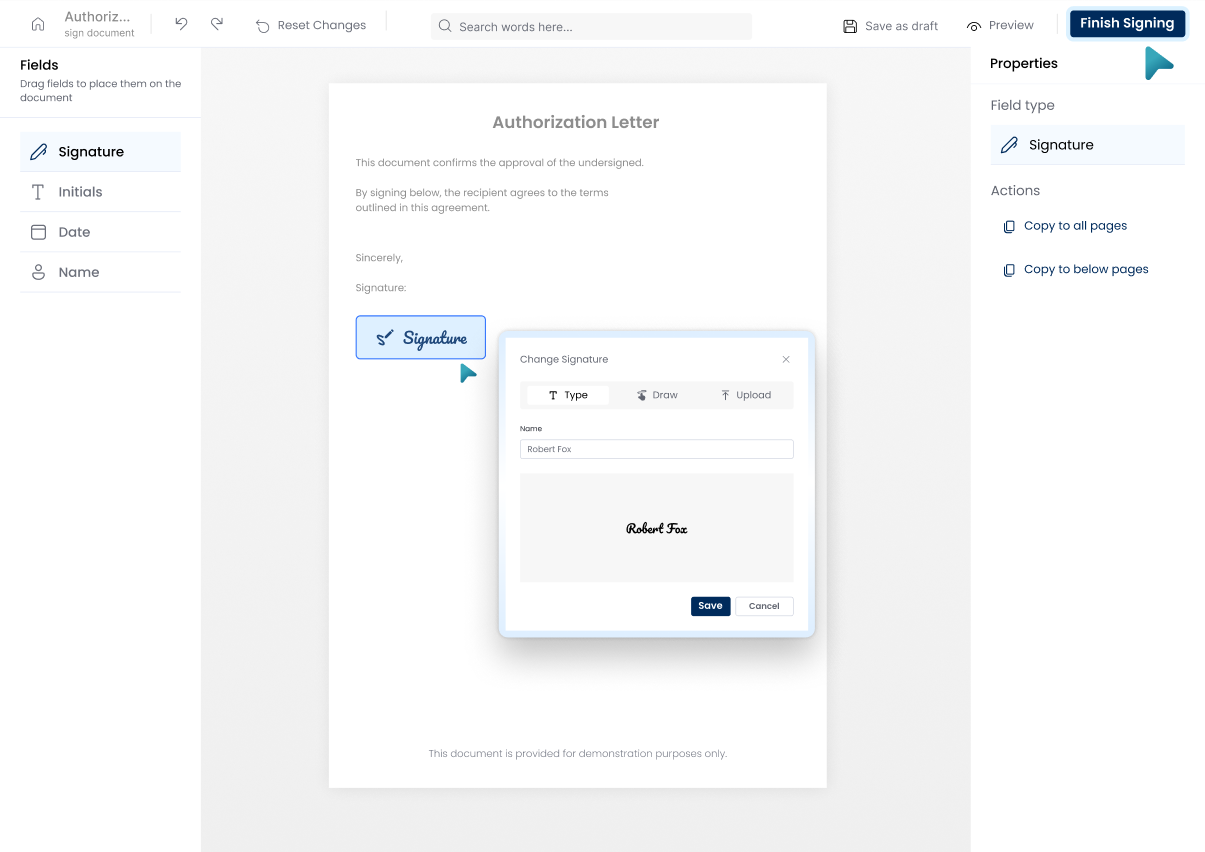
Effortless Signing Experience

Self-sign or collect multiple signatures quickly with a smooth, simple process and no extra steps.
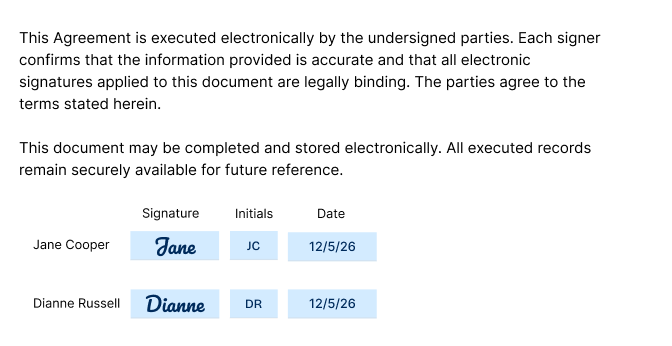
Smart Task
Flexible Approval Workflows

Create sequential or parallel signing flows that adapt perfectly to real business processes today.
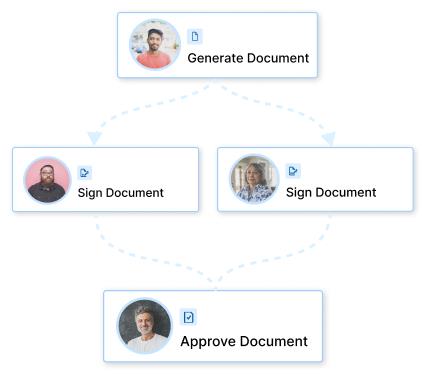
Flexible Approval Workflows
Legally Compliant & Verifiable

Every document is legally binding with a full audit trail, timestamps, and signer identity checks.
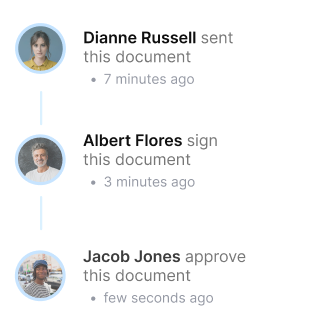
Legally Compliant
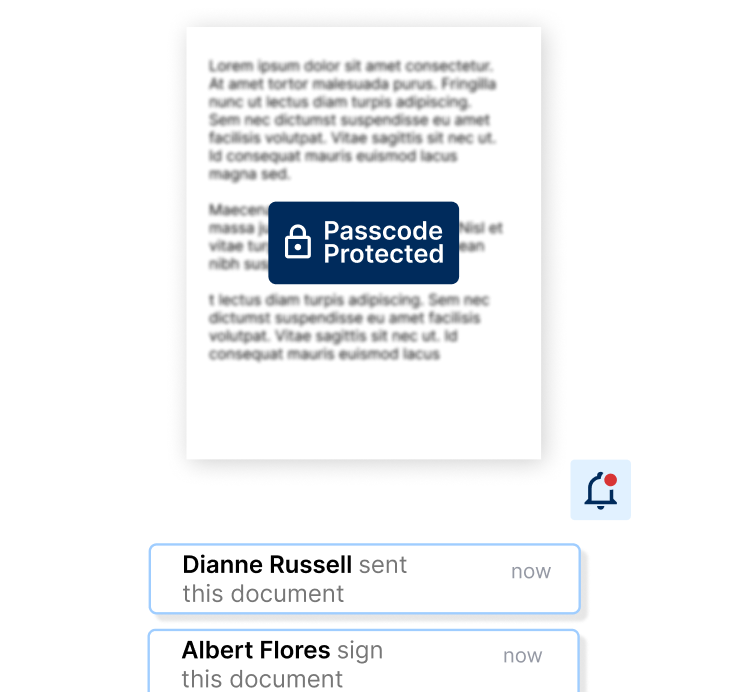
Secure & Always Informed

Protect files with passcodes and get instant updates through read receipts and email alerts live.
notification
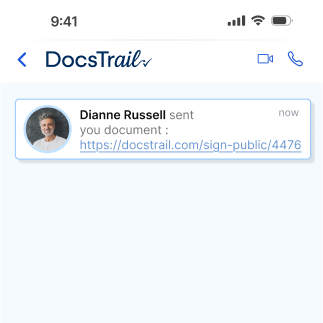
Easy Integration & Accessibility

Easily integrate with existing tools and access documents anytime, anywhere, on any device securely.
Easy Integration & Accessibility
Features Powerful Tools, Simple Design

Powerful DocsTrail Features

Fast secure electronic signature workflows for smarter document signing and reliable signatures for documents, ideal as the best e-signature software available.

Fast Document Signing

Upload your file, apply your electronic signature, and complete document signing in just seconds.

Encrypted & Secure

Encrypted electronic signature signing secures documents safely using trusted e-signature software.

Stay Updated With Instant Signing Alerts

Track document signing updates instantly with smart automated alerts from sending to completion.

Industry-Smart Signing

Industry-smart e-signature tools simplify secure document signing for small, growing businesses.

Automated Reminders

Automated reminders notify recipients repeatedly until documents are signed, and manual follow-ups are fast.

Centralized Document Management

Store, access, and manage all signed documents securely from one centralized, easy dashboard panel.

Secure Signing Process

Secure Digital Signing in Three Steps

Skip the complexity. DocsTrail makes it easy to create, send, and sign digital agreements by bringing all your document workflows into one secure, easy-to-use platform.

  • Prepare Your Document
  • Assign, Send, and Sign
  • Stay Updated Until Completion
sign doc with properties (5) (1)
Industries Trusted Across Teams

Signing Solutions That Fit Your Industry

DocsTrail helps teams across industries streamline document signing with secure, simple, and efficient digital workflows.

HR & Recruitment Workflows

Simplify HR workflows by signing offer letters, policies, and onboarding documents digitally and securely.

Real Estate

Close deals faster by sending, signing, and managing real estate contracts online from anywhere.

Education & Admissions

Streamline document creation, e-signing, and secure storage across your educational institution.

Questions Answers That Matter

FAQs

Do you store my signature on your system?
No. DocsTrail prioritizes your privacy and security. We never store your signature data or signature image on our servers. Everything you create—whether typed or drawn—is processed directly in your browser and cannot be accessed or viewed by anyone else.
Can I use this signature maker for legal documents?
Yes. With DocsTrail’s signature maker, when you draw or type your name, it’s converted into a downloadable signature image. You can place it in contracts, PDFs, and other files. While a signature alone doesn’t make an agreement legally binding, it does confirm identity and intent, which is essential for legal documents.
What types of documents can I sign with DocsTrail e-Signatures?
DocsTrail supports PDFs, Word documents, and popular image formats such as PNG and JPG. You can upload multiple files (up to 15MB each) and sign them together, making it easy to manage different document types in one place.
Can I track the status of documents I send for signing?
Yes. DocsTrail lets you track document status in real time. You can see who has signed, who’s pending, and send reminders when needed—so you always stay in control of the signing process.
Is there a limit to the number of documents I can sign?
Yes. The DocsTrail free plan includes a limited number of documents per month. You can upgrade anytime to unlock unlimited signing, advanced features, and priority tools—just choose the plan that fits your workflow.
Can I use DocsTrail on my mobile device?
Absolutely. DocsTrail e-Signatures work seamlessly on all mobile browsers—no app required. Simply log in from your phone or tablet to create signatures and sign documents on the go.
Are DocsTrail e-Signatures as valid as handwritten signatures?
Yes. DocsTrail electronic signatures carry the same legal validity as handwritten signatures. You can securely sign documents online without printing or scanning—just create your e-signature and add it where needed.
Can I use the downloaded DocsTrail e-Signature to sign any document?
Yes. Your DocsTrail e-signature can be used for personal, business, or legal documents. From contracts and agreements to proposals, forms, Word files, and PDFs—DocsTrail makes signing simple, fast, and reliable.
Cart (0 items)

Create your account

Select the fields to be shown. Others will be hidden. Drag and drop to rearrange the order.
  • Image
  • SKU
  • Rating
  • Price
  • Stock
  • Availability
  • Add to cart
  • Description
  • Content
  • Weight
  • Dimensions
  • Additional information
Click outside to hide the comparison bar
Compare
