


 Jan 21,2026
 By docstrail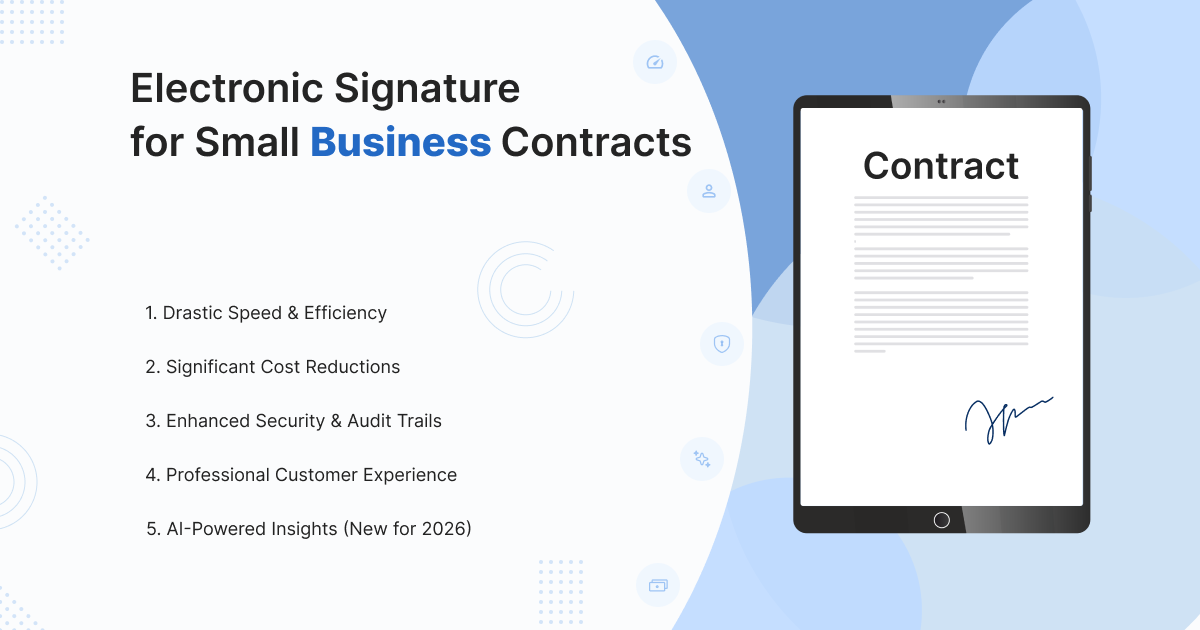
If you’ve ever found yourself frantically searching for a working printer, running to the post office five minutes before it closes, or staring at a blurry scan of a client’s signature, you know the “old way” of handling contracts is more than just a nuisance—it’s a bottleneck.
In 2026, the landscape of online document signing has shifted from a “nice-to-have” luxury for tech startups to a survival requirement for every small business. Whether you are a freelance consultant, a boutique retail owner, or a growing service provider, your ability to close deals depends on how fast and how easily your clients can say “yes.”
This guide will walk you through everything you need to know about using an electronic signature to streamline your business document signing, stay legally compliant, and reclaim hours of your week.
What Exactly is an Electronic Signature?
Before we dive into the “how-to,” let’s clarify what we mean. While many people use the terms interchangeably, there is a technical distinction you should know.
Definition: An electronic signature (or eSign) is defined as an electronic sound, symbol, or process attached to a record and executed by a person with the intent to sign.
In simpler terms, it is the digital version of your “wet ink” signature. However, in 2026, electronic signature software does much more than just paste an image of your name onto a PDF. It creates a secure, encrypted link between the signer and the document.
The Three Tiers of Signing
- Simple Electronic Signature (SES): The most common type. This includes checking a box, typing your name, or drawing a signature on a screen.
- Advanced Electronic Signature (AdES): Adds a layer of security by requiring identity verification (like a unique code sent to a phone) and ensures the document cannot be changed after signing.
- Qualified Electronic Signature (QES): The highest “gold standard,” primarily used in the EU (under eIDAS regulations) and for high-stakes financial transactions. It requires a digital certificate issued by a regulated authority.
The Legal Landscape: Is an Online Signature Really Binding?
The short answer is yes. In the United States, two primary laws provide the backbone for online contract signing:
- The ESIGN Act (2000): A federal law that ensures electronic records and signatures are just as valid as paper-and-ink versions for interstate and foreign commerce.
- UETA (Uniform Electronic Transactions Act): Adopted by nearly every state, this provides a similar legal framework at the state level.
The 4 Pillars of a Legal eSign
To ensure your digital contract signing holds up in a court of law, your process must meet four criteria:
- Intent to Sign: The signer must clearly show they intended to agree (e.g., clicking “I Accept” or drawing their signature).
- Consent to Do Business Electronically: Most e-sign tools include a popup asking the user to agree to use digital methods.
- Association of Signature: The system must prove the signature belongs specifically to that document.
- Record Retention: You must be able to provide a copy of the signed agreement to all parties.
Note on Exclusions: While you can use an electronic signature for 99% of small business needs, a few documents—like wills, eviction notices, and certain high-value real estate deeds—still often require traditional “wet ink” and a physical notary.
Stop Chasing Ink and Start Closing Deals.
Don’t let a missing printer stand between you and your next contract. Experience the speed of mobile signing today. Join thousands of small businesses that have cut their contract turnaround time by 80%.
[Start Your Free 14-Day Trial]
5 Game Changing Benefits for Small Businesses
Transitioning to online document signing isn’t just about being modern; it’s about your bottom line.
1. Drastic Speed and Efficiency
Manual contract cycles take days. You mail a document, wait for it to arrive, wait for the client to print it, wait for them to scan it back… you get the point. With mobile signing, your clients can sign a contract on their phone while waiting for a coffee. Deals that used to take a week now close in under an hour.
2. Significant Cost Reductions
Paper, ink, envelopes, and postage might seem like “small change,” but they add up. More importantly, the labor cost of an employee (or you) chasing down a signature is expensive. Modern e-sign tools automate the follow-up, saving you dozens of hours a month.
3. Enhanced Security and Audit Trails
If someone disputes a paper contract, it’s your word against theirs. With an online signature, every action is tracked.
- Time-stamps: Exactly when it was opened and signed.
- IP Addresses: Where the signer was located.
- Tamper-Evidence: If a single comma is changed after the signature is applied, the digital seal “breaks,” alerting all parties.
4. Professional Customer Experience
First impressions matter. When you send a professional, branded link for online contract signing, you signal that your business is organized and respects the client’s time. Frictionless signing leads to higher “close rates.”
5. AI-Powered Insights (New for 2026)
In 2026, the best electronic signature software now includes AI assistants. These tools can automatically flag high-risk clauses in a contract you receive or suggest where you’ve missed a signature field in a document you’re sending.
How the E-Signature Workflow Works
If you’ve never used an e-sign tool, the process is remarkably simple. Here is a typical four-step workflow:
- Preparation: You upload your contract (Word, PDF, or Google Doc) to the platform. You “drag and drop” fields where you need a signature, date, or initials.
- Authentication: You enter the signer’s email address. For higher security, you can enable Multi-Factor Authentication (MFA), requiring them to enter a code sent to their phone.
- Signing: The client receives a link. They can sign from any device without needing to create an account.
- Completion: Once signed, the system automatically sends a “Certificate of Completion” and a final PDF copy to everyone involved.
What to Look for in a Provider
- Mobile Friendliness: Ensure the mobile signing experience is smooth.
- Templates: Can you save your “Standard Service Agreement” so you don’t have to set up fields every time?
- Integrations: Does it connect to your CRM (like HubSpot or Salesforce) or your storage (Google Drive/Dropbox)?
- Branding: Can you put your logo on the emails so they don’t look like spam?
Is Your Business Legally Protected in the Digital Age?
Not all online signature processes are created equal. If you are handling high-value contracts, you need a workflow that is “courtroom ready.” Let our experts audit your current online contract signing process for compliance and security.
Best Practices for Small Business Implementation
To make the most of your business document signing strategy, follow these expert tips:
- Always include a clear “Call to Action”: When sending the email, tell the client exactly what to do: “Please review and sign this by Friday to keep us on schedule.”
- Automate Reminders: Don’t be the “signature nag.” Set your software to automatically send a reminder every 3 days if the document remains unsigned.
- Standardize Your Filing: Decide early on where the final, signed copies will live. Most electronic signature software can auto-save finished docs to a specific folder in the cloud.
- Use Multi-Factor Authentication for High-Value Deals: If a contract is worth more than a certain threshold, add that extra layer of phone-code verification to prevent identity disputes later.
Also Read: How to Convert a Signature to a Digital Signature
Conclusion: Stop Chasing Ink
The era of the “wet signature” isn’t dead, but for the modern small business, it has become a liability. Moving your online contract signing into a dedicated digital platform isn’t just a tech upgrade—it’s a commitment to security, speed, and a better client experience.
By choosing the right electronic signature software, you aren’t just signing documents; you’re building a more resilient, scalable business.