


 Feb 27,2026
 By docstrail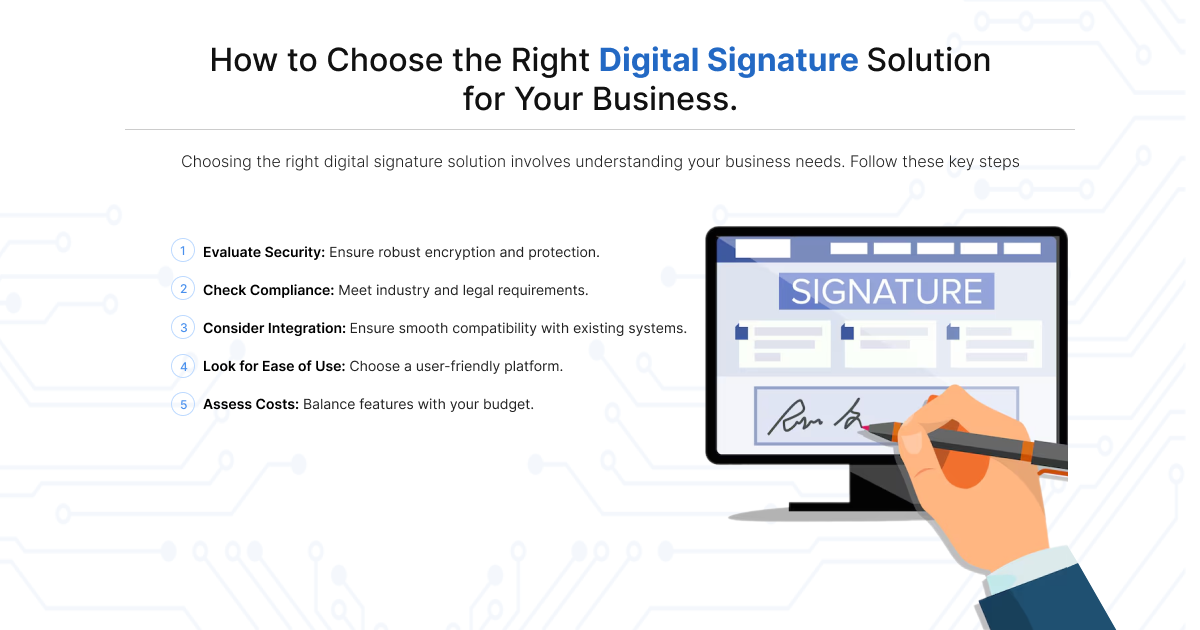
In the current business landscape, the “paperless office” is no longer a futuristic goal—it is a baseline requirement for survival. As we move through 2026, the speed of commerce is dictated by how quickly a contract can move from a “draft” state to “executed”. Traditional wet signatures, involving printing, scanning, and physical mailing, are more than just a nuisance; they are a security risk and a massive drain on overhead.
However, the market is flooded with options. Choosing the best digital signature solution for business requires a nuanced understanding of security tiers, global legalities, and the burgeoning role of Artificial Intelligence in contract management. This guide provides a deep dive into selecting a digital signature solution that scales with your ambition.
Decoding the Technology: eSignatures vs. Digital Signatures
The terms are often used as synonyms, but in a legal or technical audit, the difference is night and day. Understanding this is the first step in selecting electronic signature software.
Electronic Signatures (eSignatures)
An electronic signature is a broad legal concept. It refers to any electronic sound, symbol, or process attached to a record and executed by a person with the intent to sign. This includes:
- Typing your name into a signature field.
- Uploading a generic image of your handwritten signature.
- Clicking an “I Accept” button.
While convenient, simple eSignatures offer lower levels of identity verification and are easier to dispute in high-stakes litigation.
Digital Signatures (The Secure Standard)
A digital signing platform uses a specific technical implementation called public key infrastructure (PKI). When you sign digitally, the software creates a unique cryptographic “fingerprint” (a hash) of the document.
- Non-Repudiation: Because the signature is linked to a digital certificate, the signer cannot easily claim they didn’t sign it.
- Integrity: If even a single comma is changed in the PDF after the signature is applied, the digital seal “breaks”, alerting all parties that the document has been tampered with.
Global Compliance: Navigating the Legal Maze
Whether you are looking for digital signature software for SMBs or enterprise e-signature tools, compliance is non-negotiable. You must ensure your provider adheres to the regulations of the countries where you do business.
The eIDAS Framework (Europe)
The European Union’s eIDAS regulation is the gold standard for the world. It categorises signatures into three levels:
- SES (Simple): Good for internal HR forms.
- AES (Advanced): Requires a unique link to the signer and sole control of the signing key.
- QES (Qualified): The highest level, requiring face-to-face (or equivalent video) identity verification and a secure signature creation device. This is legally equivalent to a handwritten signature across the entire EU.
The North American Standard (ESIGN & UETA)
In the United States, the ESIGN Act and UETA ensure that a contract cannot be denied legal effect solely because it is electronic. However, for specific industries like life sciences, you must ensure your online document signing process is 21 CFR Part 11 compliant, which requires specific document retention and “intent to sign” manifestations.
Ready to Close Deals 10x Faster?
Don’t let a “wet” signature slow down your growth. Experience the most secure and scalable eSignature solution designed for modern teams. Start your 14-day free trial today—no credit card required.
Security: Beyond the “Dotted Line”
When evaluating eSignature software, look past the user interface and inspect the “vault” where your data lives. In 2026, cyber threats are more sophisticated, making robust security a primary feature.
Multi-Factor Authentication (MFA)
Sending a link to an email address is no longer enough. The best digital signature solution for business will offer layered verification:
- SMS/Voice OTP: A code sent to the signer’s mobile device.
- Knowledge-Based Authentication (KBA): Asking questions only the signer would know (common in US real estate).
- Biometric Verification: Utilizing the signer’s smartphone camera for a “liveness check” or fingerprint scan.
The Audit Trail
A professional digital signature solution must provide a detailed “Certificate of Completion”. This document should track:
- The IP addresses of all parties.
- Precise timestamps (down to the second) of when the document was opened, viewed, and signed.
- The “Chain of Custody”, showing exactly how the document moved from sender to signer.
Scalability and Integration: The Enterprise Edge
If you are a growing company, you don’t just need a tool; you need a scalable eSignature solution that talks to the rest of your tech stack.
CRM and ERP Integration
Your sales team shouldn’t have to download a PDF from Salesforce, upload it to a signing tool, and then re-upload the finished version back to the CRM. The best enterprise eSignature tools offer native integrations.
- Salesforce/HubSpot: Automatically trigger a contract when a deal hits “Closed/Won”.
- Workday/BambooHR: Streamline employee onboarding by sending offer letters directly from the HRIS.
The Role of AI in 2026
Modern online document signing platforms now incorporate AI to solve “contract fatigue”.
- AI Summaries: Automatically generates a 3-bullet-point summary of long legal terms for the signer.
- Clause Detection: Flags “Change of Control” or “Indemnification” clauses that might require extra legal review.
- Data Extraction: Automatically pulls data from signed contracts (like expiration dates) and pushes it into your calendar or database.
User Experience: Reducing “Friction to Sign”
You can have the most secure digital signing platform in the world, but if your client finds it difficult to use, they won’t sign. This results in “deal slippage”.
Mobile Responsiveness
In 2026, the majority of business documents are signed on mobile devices during commutes or between meetings. If your eSignature software requires the user to pinch and zoom on a static PDF, you are creating friction. Look for “Responsive Signing” features that transform the document into a mobile-friendly web form.
Custom Branding (White Labeling)
Trust is the currency of digital transactions. When a client receives an email from a random third-party software name, they may hesitate. A professional digital signature solution allows for full white labeling, meaning the email, the signing portal, and the confirmation page all carry your company’s logo and colors.
Confused by eIDAS or HIPAA compliance?
Choosing the wrong digital signing platform can lead to legal headaches. Book a 15-minute strategy call with our document workflow experts to find the right fit for your industry.
Pricing Models and ROI Analysis
Don’t be fooled by “low entry prices”. When selecting digital signature software for SMBs, look at the long-term cost of scaling.
| Pricing Model | Best For | Potential Pitfall |
| Per User / Per Month | Consistent, predictable volumes | Can become expensive as the team grows |
| Per Envelope (Transaction) | High-volume, seasonal businesses | Costs can spike unexpectedly during busy months |
| API-Based Pricing | Developers building custom apps | Requires technical resources to implement |
Calculating ROI
To justify the cost of a scalable eSignature solution, calculate the “Time to Revenue”. If digital signatures reduce your contract turnaround from 5 days to 5 hours, how much more capital can your business deploy in that time? Usually, the software pays for itself by reclaiming 20–30 hours of administrative labour per month.
Implementation Checklist: Transitioning Smoothly
Once you’ve chosen your digital signature solution, follow these steps for a successful rollout:
- Content Audit: Identify your 10 most-used templates (NDAs, sales agreements, and onboarding forms).
- Stakeholder Training: Ensure your sales and HR teams know how to explain the security of the tool to hesitant clients.
- Legacy Migration: Decide if you need to upload old “wet-signed” documents into the new platform for centralized storage.
- Security Review: Have your IT department whitelist the provider’s IP addresses to ensure signature requests don’t land in spam folders.
Conclusion
The right digital signature solution is the one that disappears into the background of your workflow. It should be so easy that your signers don’t notice the technology—only the professional experience. Whether you need a simple online document signing tool for a small team or enterprise eSignature tools for a global corporation, prioritizing security, compliance, and integration will ensure your business stays agile in 2026 and beyond.