


 Mar 17,2026
 By docstrail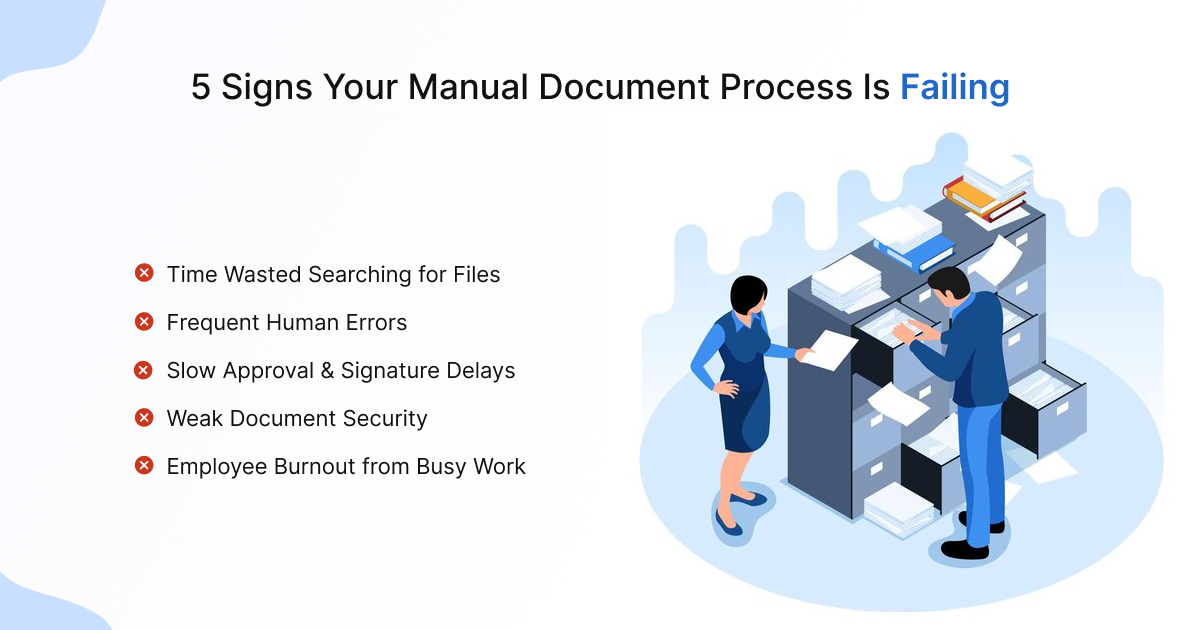
In the hyper-accelerated business landscape of 2026, speed isn’t just a luxury—it’s a survival trait. Yet, many organizations are still anchored by a manual document process that belongs in the previous decade. We’ve all seen it: the “urgent” contract sitting on a physical desk, the endless email threads trying to locate the “final_final_v2” version of a proposal, and the frantic search for a missing invoice during an audit.
While these may seem like minor daily annoyances, they are actually symptoms of a systemic failure. Relying on paper, manual entry, and unorganized digital folders creates a “productivity tax” that drains your revenue and demoralizes your team.
Here are the five definitive signs that your document workflow is no longer sustainable and why Manual Document Process is the only way forward.
The “Search and Rescue” Mission: Your Team is Hunting, Not Working
If your employees spend more than 20% of their day simply looking for information, your manual document process is failing.
In a traditional setup, document creation is often decentralized. One person saves a file to their desktop, another puts it on a shared drive with a cryptic naming convention, and a third prints it out for a physical file. This creates “information silos”. When a client calls with a question, your staff undergoes a “search and rescue” mission, pivoting between three different software apps and a filing cabinet.
This isn’t just a waste of time; it’s a waste of cognitive energy. Every time an employee has to stop a high-value task to hunt for a document, it takes an average of 23 minutes to regain full focus. Transitioning to Manual Document Process ensures that every file is indexed, searchable, and accessible from a single source of truth.
The “Human Element” is Becoming a Liability
Human error is inevitable, but a manual process magnifies it. If you are frequently seeing typos in client names, missed fields in contracts, or “fat-finger” errors in financial spreadsheets, your process lacks the necessary guardrails.
In a manual environment, data is often moved by “copy-pasting” from one form to another. This is where the 1-10-100 rule of data management comes into play:
- It costs $1 to verify data at the point of entry.
- It costs $10 to correct it later.
- It costs $100 (or more) if the error leads to a failed compliance audit or a lost customer.
Document process automation removes the “middleman”. By using smart templates and data integration, information flows directly from your CRM into your documents without a single keystroke, virtually eliminating the risk of manual entry errors.
Is Your Workflow Costing You?
Don’t let a manual document process cap your company’s growth. Take our 2-minute Document Efficiency Audit to identify your biggest bottlenecks and see how Manual Document Process can save your team up to 10 hours a week.
[Analyze My Workflow Now]
The “Black Hole” Approval Bottleneck
Does your team know exactly where a document is in its lifecycle? If the answer is “I think it’s with finance”, you have a visibility problem.
Manual workflows are “black holes”. Once a document is sent for signatures or approval via email, it disappears from the sender’s view. If the approver is out sick, in a long meeting, or simply has a crowded inbox, the document stalls.
Document workflow automation provides a “bird’s-eye view” of the entire process. You can see:
- Who has the document?
- How long they’ve had it?
- Who is next in line?
Automated reminders ensure that no contract sits on a desk for three days, and digital signatures allow executives to approve critical deals from their smartphones, keeping the momentum alive.
Security is Based on “Pinky Promises”
If your document security relies on people “promising” not to look at sensitive files, you are one step away from a major breach. In a manual document process, sensitive information is often sent through unencrypted emails or left sitting on a communal office printer.
Compliance standards like GDPR, HIPAA, and SOC2 require a strict digital document management strategy. You must be able to prove who accessed a document and what changes they made. A paper trail is easily faked or lost; a digital audit trail is immutable. By moving to an automated system, you can set up “Role-Based Access Control” (RBAC), ensuring that only authorized personnel can view payroll or legal documents.
High Turnover and the “Busy Work” Burnout
Perhaps the most overlooked sign of a failing process is the morale of your team. High-performing employees want to solve problems and drive growth; they do not want to spend four hours a day filing, scanning, and chasing down signatures.
When a company refuses to modernize, its best talent feels the friction. They see that their time is being undervalued. If your “document management” strategy is just “giving people more folders”, you are likely contributing to employee burnout.
By implementing document process automation, you are essentially “hiring” a digital assistant to handle the repetitive, soul-crushing tasks. This frees up your human talent to do what they do best: innovate and build relationships.
Ready to Ditch the Paper Trail?
Stop chasing signatures and start closing deals. See how our document workflow automation platform transforms “black hole” approvals into a streamlined, secure, and lightning-fast digital experience.
[Book a Live Demo] | [Start Your Free Trial]
The Path Forward: From Manual to Managed
The transition from a failing manual system to Manual Document Process doesn’t have to happen overnight. It starts with identifying the single biggest bottleneck in your current workflow.
Step 1: The Document Audit
Map out your most common document lifecycle—from document creation to archiving. Note every time a human has to “touch” the document just to move it to the next stage.
Step 2: Implement Digital Signatures
This is often the “gateway drug” to full automation. Replacing wet-ink signatures with secure, legally binding electronic ones can shave days off your turnaround time.
Step 3: Centralize with Digital Document Management
Move away from local hard drives and move toward a cloud-based system where version control is handled automatically.
Also Read: Why Secure Electronic Signatures Matter for Compliance
Conclusion: Don’t Let Paperwork be your Ceiling
A manual document process is like trying to run a marathon while wearing a weighted vest. You might still finish, but you’ll be exhausted, and everyone else will beat you.
By embracing document workflow automation, you aren’t just “buying software”—you are reclaiming hours of lost time, protecting your company from liability, and giving your employees the tools they need to succeed in a digital-first world.
The signs of failure are usually right in front of us. The question is: are you going to keep filing them away, or are you ready to automate?